SMS Opt-In Flow
User Sign-In & Verification Flow
Step-by-step screens showing how users opt in via email or SMS on the Onliest platform.
Screen 1
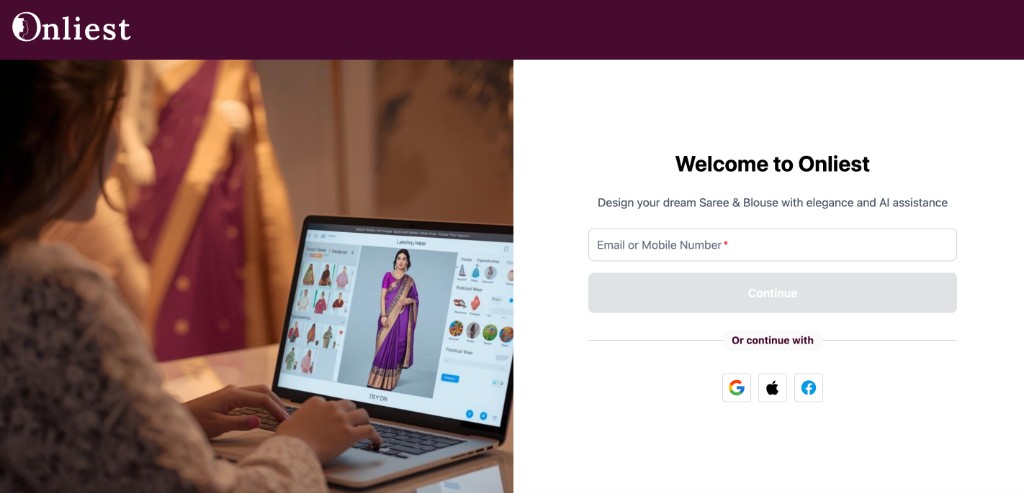
Welcome to Onliest — users land on the sign-in page and enter their email or mobile number, or choose Google, Apple, or Facebook to continue.
Screen 2
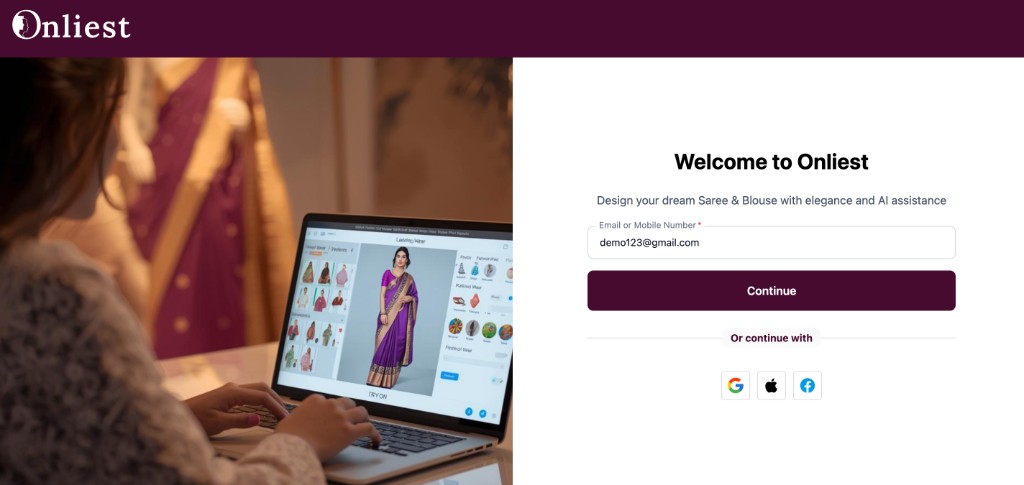
Email sign-in — the user enters their email address (e.g. demo123@gmail.com) and taps Continue to proceed with account verification.
Screen 3
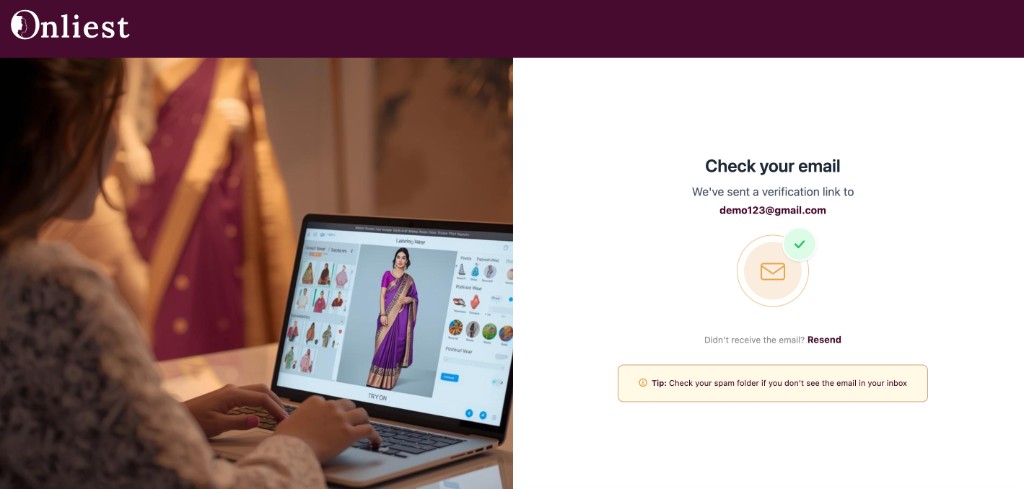
Check your email — a verification link is sent to the user's email address. They can resend the email or check their spam folder if needed.
Screen 4
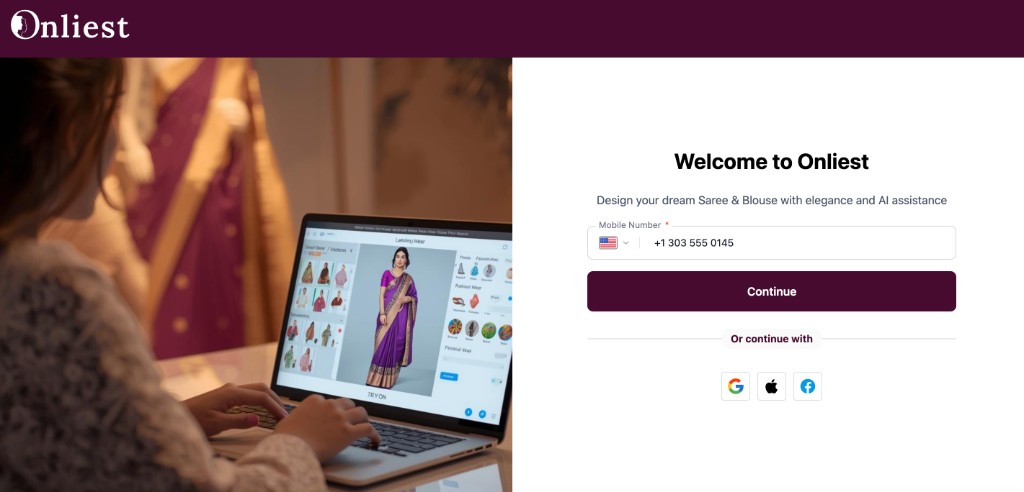
Mobile number entry — the user provides their phone number with a country code (e.g. +1 303 555 0145) and taps Continue to start SMS opt-in.
Screen 5
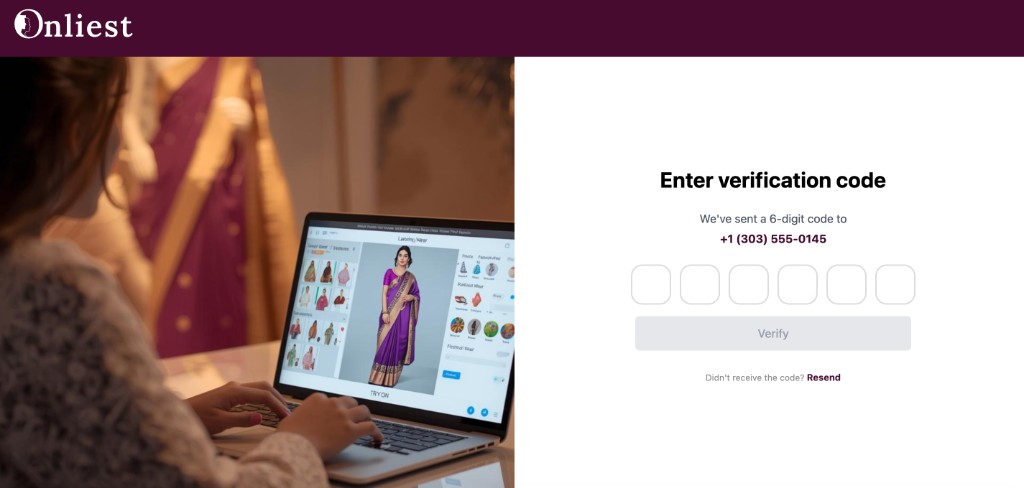
SMS verification — a 6-digit code is sent to the user's mobile number (+1 (303) 555-0145). They enter the code and tap Verify, or request a resend.
By using our platform, you agree to our policies: